DoorDash & Uber Eats Driver Registration in Canada: A Side-by-Side Walkthrough
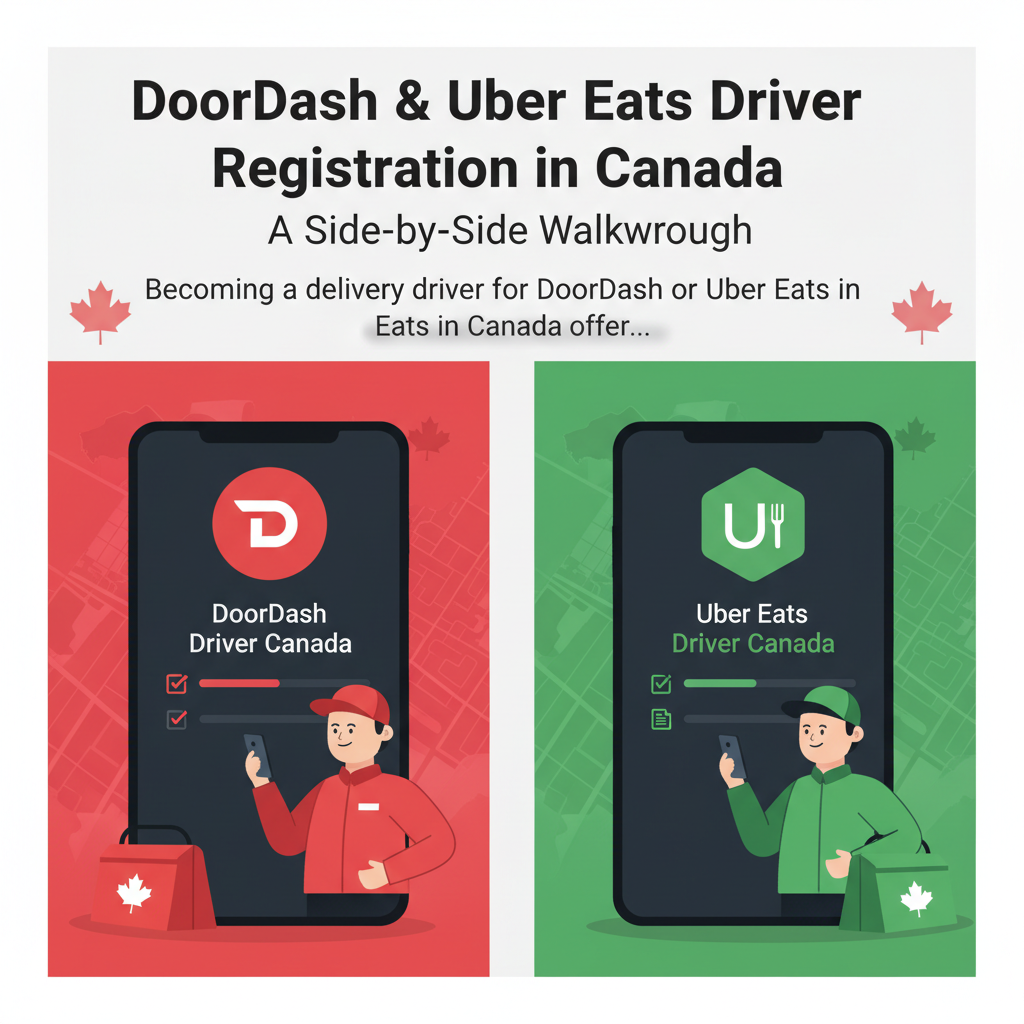
Becoming a delivery driver for DoorDash or Uber Eats in Canada offers a flexible earning opportunity, whether you’re looking for a full-time gig or supplementary income. The registration process, while generally straightforward, involves several distinct steps and requirements that vary depending on your chosen mode of transport (car or bicycle) and even your geographic location within Canada. This comprehensive guide provides a side-by-side walkthrough of the onboarding journey for both platforms, designed to help prospective drivers understand and navigate the DoorDash & Uber Eats driver registration in Canada process efficiently.
Understanding the Basics: Core Requirements for All Drivers
Before diving into the specifics of car versus bicycle delivery, it’s crucial to understand the fundamental requirements shared by both DoorDash and Uber Eats across Canada. These common prerequisites establish eligibility and ensure compliance with platform policies and local regulations, acting as the foundational layer upon which further mode-specific requirements are built.
Firstly, all applicants must meet a minimum age requirement. For DoorDash, individuals must be at least 18 years old to sign up as a Dasher, a standard requirement for entering into legal contracts and operating independently. Uber Eats generally follows the same age guideline of 18 years, though it’s always prudent for applicants to verify any local age regulations that might occasionally influence this, especially in certain jurisdictions where commercial activity might have different stipulations. This age requirement isn’t arbitrary; it’s critical as it relates to legal capacity for contractual agreements, insurance coverage eligibility, and the handling of transactions involving minors, ensuring drivers are legally recognized adults capable of fulfilling their responsibilities.
Secondly, a legal right to work in Canada is non-negotiable. This means applicants must be Canadian citizens, permanent residents, or hold a valid work permit that explicitly allows them to engage in independent contractor work. During the application process, both platforms will require clear and valid documentation to verify your employment eligibility. This typically includes uploading images of documents such as a Canadian passport, a permanent resident (PR) card, or a valid work permit. Your Social Insurance Number (SIN) will also be required for tax reporting purposes, confirming your identity for income-related government regulations. This is a standard measure to ensure adherence to Canadian labour laws and to properly report income earned within the country. Failure to provide adequate proof of work eligibility will result in the rejection of your application.
Thirdly, access to a smartphone is an absolute essential. Both DoorDash and Uber Eats operate exclusively through their respective driver applications, which are sophisticated mobile tools available on both iOS and Android devices. Your smartphone will serve as your primary interface for the entire delivery process: accepting new orders, navigating efficiently to restaurant pickup locations and customer drop-off points, tracking your real-time earnings, and communicating seamlessly with both customers and platform support. To maintain operational efficiency, a reliable data plan with sufficient bandwidth is paramount, as continuous GPS usage and app interactions consume data. Furthermore, adequate battery life or the means to keep your device charged throughout your delivery shifts is a practical necessity, as a dead phone means a halt to earnings.
Finally, all applicants must possess a clean criminal record. Both platforms conduct comprehensive background checks on all potential drivers, irrespective of their chosen delivery method, to ensure the safety and trust of their user base. These checks typically scrutinize past criminal convictions, looking for any history that might pose a risk to customers, merchants, or the public. The exact scope includes reviewing national criminal databases and, in some cases, local police records. These background checks are a mandatory part of the screening process and are non-negotiable. The depth and duration of these checks can sometimes influence the overall onboarding timeline, as the process relies on third-party agencies and government database response times. Any significant criminal history, especially involving violent crimes, theft, or fraud, will likely disqualify an applicant.
With these foundational requirements understood, we can now delve into the specific registration steps tailored to each delivery method, highlighting where the processes diverge. If you’re considering other gig economy platforms, you might find useful guides like Sign Up for SkipTheDishes Canada: Driver Requirements & Onboarding or general multi-app strategies by checking out articles on Driving for Uber & Lyft in Canada.
Registration Steps for Car Delivery: A Detailed Comparison
Delivering by car is the most common method for DoorDash and Uber Eats drivers in Canada, offering the ability to cover larger distances, access a wider range of delivery zones, and carry more orders, including larger catering requests or multiple simultaneous deliveries. The registration process for car delivery is more intensive than bicycle delivery, involving several critical steps related to vehicle documentation, driving history, and insurance.
DoorDash Car Driver Registration:
- Initial Application: The journey begins on the official DoorDash website or through the dedicated Dasher app. You’ll be prompted to provide basic personal information, which includes your full legal name, a valid email address, a reliable phone number, and your residential postal code. This initial data helps establish your profile and confirms service availability in your area.
- Personal Information & Agreements: Following the initial details, you’ll be required to provide your Social Insurance Number (SIN) for tax reporting purposes, as you’ll be operating as an independent contractor. You must then carefully review and consent to a comprehensive background check, which is a critical part of the screening process. Additionally, you’ll need to agree to DoorDash’s independent contractor agreement and the platform’s terms of service, outlining your responsibilities and the operational guidelines.
- Background Check (Driving & Criminal): DoorDash partners with third-party providers, such as Checkr in many regions, to conduct thorough background checks. For car drivers, this involves two key components: a criminal record check to assess your criminal history and a motor vehicle record (MVR) check. The MVR check scrutinizes your driving history for infractions, traffic violations, at-fault accidents, and license suspensions. A clean driving record, free of major offenses, is paramount for approval, reflecting DoorDash’s commitment to road safety.
- Driver’s License: You must possess a valid, non-probationary provincial or territorial driver’s license from the province or territory where you intend to operate. DoorDash will require you to upload clear, legible images of both the front and back of your license. The license must be in good standing, meaning it is not suspended, expired, or subject to any restrictions that would impede safe driving.
- Vehicle Information & Insurance: While DoorDash typically doesn’t have strict vehicle age requirements, your car must be in safe operating condition, well-maintained, and pass a visual inspection if required (though rarely done). Critically, you must have valid auto insurance that meets or exceeds the minimum provincial requirements. DoorDash requires proof of insurance, which usually means uploading a picture of your current insurance liability card or policy declarations page. It’s imperative to understand that standard personal auto insurance policies often do not cover commercial activities like food delivery. While DoorDash provides a limited commercial insurance policy that acts as secondary coverage only while on an active delivery (from accepting an order to dropping it off), it is strongly advised to proactively consult with your personal insurance provider about “rideshare” or “delivery” endorsements. Failure to disclose your delivery activities to your personal insurer could result in claims being denied, policy cancellation, or even voidance of your policy in the event of an accident. Many provinces have specific rules and available products for gig workers, making this a critical discussion for personal protection.
- Vehicle Registration: Proof of current vehicle registration is also a mandatory requirement. This document confirms that your vehicle is legally registered for road use and that you are either the registered owner or have explicit permission to operate it commercially. Uploading a clear image of your registration certificate is typically sufficient.
- In-App Setup & Banking Information: Once your submitted documents and background checks have been successfully approved, you will gain full access to the Dasher app. Here, you’ll complete your profile setup and critically, provide your banking details for direct deposit of your earnings. This typically involves entering your bank name, institution number, transit number, and your specific account number, ensuring that your funds can be securely transferred to you. Accuracy here is crucial to avoid payout delays.
- Red Card & Activation Kit: Upon successful activation, DoorDash will mail you a “Dasher Kit” to your registered address. This essential kit typically includes a branded thermal bag to maintain food temperature and the crucial Red Card. The Red Card is a prepaid debit card that serves a specific function: it’s used for certain orders where you, as the Dasher, need to pay for items at the merchant (e.g., specific restaurant orders that aren’t pre-paid by DoorDash, or purchases from convenience stores and grocery outlets). You will need to activate this card within the Dasher app once received, as outlined in the DoorDash guide on how to use your Red Card.
Uber Eats Car Driver Registration:
- Initial Application: Similar to DoorDash, you initiate the process by signing up on the Uber website or through the Uber Driver app. You’ll input your name, email, phone number, and crucially, select “Delivery” as your service type, ensuring you’re routed to the correct onboarding stream. For more details on becoming an Uber driver, you can refer to our How to Become an Uber Driver in Canada: Step-by-Step Guide.
- Consent & Agreements: You’ll be prompted to provide consent for background checks and to agree to Uber’s comprehensive terms of service and the independent contractor agreement. Your SIN will also be requested for proper tax reporting in accordance with Canadian regulations.
- Background Check (Driving & Criminal): Uber Eats also conducts comprehensive background checks, often through partners like Checkr or SterlingBackcheck. This process includes both a criminal record check and a review of your driving record (MVR), similar in scope to DoorDash. A clean driving history, free of major incidents or numerous infractions, is an essential prerequisite for approval.
- Driver’s License: A valid, non-probationary provincial or territorial driver’s license is required, and you will upload clear photos of both sides of your license to verify its validity and your identity.
- Vehicle Information & Insurance: Uber Eats generally has a specific vehicle age requirement, often stipulating that vehicles must be a 1999 model year or newer, though this can vary slightly by city and local market demand. Proof of valid vehicle registration and adequate insurance is mandatory. As with DoorDash, you’ll need to upload images of these documents. Uber also provides some limited commercial auto insurance coverage while on an active delivery, designed to supplement your personal policy. However, the same personal insurance considerations regarding delivery work apply here: drivers are highly encouraged, and it is critically important, to discuss their delivery activities with their personal insurance provider to ensure adequate primary coverage and avoid potential policy complications.
- Proof of Work Eligibility: Beyond a driver’s license, Uber may specifically request additional documentation to confirm your legal right to work in Canada, such as a birth certificate, passport, or work permit, especially if your initial identification documents don’t sufficiently establish your eligibility.
- Profile Photo: You’ll need to upload a clear, forward-facing profile photo that adheres to Uber’s guidelines. These guidelines typically require a well-lit photo with no hats, sunglasses, or other obstructions, and your face should be clearly visible. This photo is visible to customers when you accept their orders, serving as a professional identifier.
- In-App Setup & Banking Information: Once approved, you’ll finalize your account within the Uber Driver app. This includes linking your bank account for secure weekly direct deposits of earnings. Uber also offers an “Instant Pay” option for a small fee, allowing drivers faster access to their funds by cashing out to a debit card. They may also offer the Uber Pro Card, a branded debit card that can provide instant payouts and other benefits, which drivers can opt into after activation.
Key Differences for Car Delivery:
- Payment Card for Orders: DoorDash provides a specific “Red Card” for paying for certain orders at merchants. Uber Eats typically does not issue a payment card for drivers to make purchases on behalf of customers for deliveries, as most Uber Eats orders are pre-paid.
- Activation Kit: DoorDash sends a mandatory kit including a thermal bag and the Red Card as part of the activation process. Uber Eats encourages drivers to use a thermal bag but does not mandate or provide one for free as part of activation; drivers are responsible for acquiring their own.
- Vehicle Age: Uber Eats often has a minimum vehicle age requirement (e.g., 1999 or newer), while DoorDash focuses more on the vehicle being safe and roadworthy, without a strict age cutoff.
- Profile Photo: Uber Eats explicitly requires a customer-facing profile photo as part of the initial setup. DoorDash typically does not require one for the Dasher profile, though a photo might be part of the identity verification process.

Registration Steps for Bicycle Delivery: A Cycle-Friendly Path
Bicycle delivery offers an environmentally friendly, often quicker, and cost-effective way to navigate dense urban areas, avoiding traffic congestion, parking difficulties, and high fuel costs. The registration process for bicycle couriers is generally simpler as it bypasses the vehicle-specific documentation, vehicle insurance requirements, and the motor vehicle driving record checks required for car drivers. This makes it an attractive option for many urban dwellers.
DoorDash Bicycle Driver Registration:
- Initial Application: Similar to car drivers, you start the application process online or via the Dasher app, providing your basic personal details. Crucially, during the sign-up process, you explicitly select “Bicycle” (or “Walk” if that option is available and suitable for very short distances in your specific area) as your preferred mode of transport. This selection tailors the subsequent requirements.
- Personal Information & Agreements: You’ll be asked to provide your Social Insurance Number (SIN) for tax reporting purposes and then consent to the required background check. Following this, you must carefully review and agree to DoorDash’s terms of service and the independent contractor agreement, which outlines the operational guidelines and expectations for Dashers.
- Background Check (Criminal Only): For bicycle delivery, DoorDash primarily conducts a criminal record check. Since you are not operating a motor vehicle, a motor vehicle record (MVR) check is not applicable. The focus remains on ensuring a safe and trustworthy individual. The process is handled by third-party providers.
- Identification: You’ll need to upload a valid form of government-issued identification to verify your identity and age. Acceptable forms typically include a provincial driver’s license (even if you’re not driving, it serves as a valid ID), a provincial identification card, or a Canadian passport. Clear images of the ID are essential for verification.
- In-App Setup & Banking Information: Once your background check and identification documents are approved, you will gain access to the Dasher app. Within the app, you will complete your profile and set up your banking details for direct deposit of your earnings. This involves providing your bank name, institution number, transit number, and your specific account number, ensuring that your earnings are deposited accurately and securely.
- Red Card & Activation Kit: Just like car Dashers, bicycle Dashers will receive a “Dasher Kit” mailed to their registered address. This kit includes a thermal bag and the essential DoorDash Red Card. The Red Card functions identically for bicycle couriers, allowing you to pay for certain orders at merchants that are not pre-paid by DoorDash. Activation of this card within the app is a mandatory step before you can accept any Red Card orders.
Uber Eats Bicycle Driver Registration:
- Initial Application: Sign up on the Uber website or through the Uber Driver app, taking care to select “Bicycle” as your mode of transportation during the initial setup. Provide your basic personal information, including your name, email, and phone number.
- Consent & Agreements: You’ll be required to agree to Uber’s terms of service and provide consent for a background check. Your Social Insurance Number (SIN) will also be collected for accurate tax reporting as an independent contractor. For those interested in registering specifically for Lyft, our How to Register for Lyft in Canada: Requirements & Setup guide provides similar steps.
- Background Check (Criminal Only): Uber Eats also conducts a criminal background check for bicycle couriers, focusing solely on criminal history and not requiring a review of driving records or vehicle-related documentation. This streamlining helps expedite the process for non-motorized vehicle operators.
- Identification: A valid government-issued photo ID is necessary to confirm your identity and age. This can include a driver’s license, a provincial ID card, or a Canadian passport. Clear, legible photos of the ID must be uploaded.
- Profile Photo: A clear, forward-facing profile photo is required, adhering to Uber’s guidelines (e.g., no hats, sunglasses, good lighting, clear visibility of your face). This photo is displayed to customers when you are assigned their order.
- In-App Setup & Banking Information: After your application is approved, you’ll finalize your account in the Uber Driver app. This includes linking your bank account for weekly direct deposits of your earnings. Uber also provides options such as “Instant Pay” (for a small fee) and the Uber Pro Card (if available in your region) to help manage and access your earnings more flexibly.
- Thermal Bag (Optional): As with car drivers, Uber Eats encourages bicycle couriers to use a thermal bag for maintaining food quality during transit, but it does not mandate or provide one for free during the activation process. Drivers are responsible for acquiring their own insulated bags. Uber may offer branded bags for purchase or discounts through partners, but this is not a prerequisite for activation.
Key Differences for Bicycle Delivery:
- No Driving Records or Vehicle Info: The most significant difference from car delivery is the complete absence of a motor vehicle record check, vehicle registration, vehicle insurance, or specific vehicle age requirements. This significantly simplifies and often speeds up the background check and overall application process.
- Red Card for DoorDash: DoorDash’s Red Card is still an integral part of the bicycle activation kit, serving the same purpose as for car dashers. Uber Eats does not issue a payment card for order purchases to its bicycle couriers.
- Vehicle-Specific Requirements: Neither platform imposes specific “bicycle requirements” beyond general expectations of a safe and operational bicycle. The focus is on the rider’s identity and criminal background.
Onboarding Timelines: Metro Areas vs. Smaller Towns
The time it takes to get fully approved and activated as a delivery driver can vary significantly. This variation is influenced by a multitude of factors, including the thoroughness and efficiency of background checks, the sheer volume of applications being processed, and the administrative efficiency of document verification. Crucially, your geographic location—whether you’re in a bustling major metropolitan area or a more sparsely populated smaller town—often plays a significant role in determining these timelines. Understanding these dynamics can help set realistic expectations.
Factors Influencing Timelines:
- Background Check Duration: This is frequently the longest and most variable step in the entire onboarding process. Criminal record checks and, for car drivers, motor vehicle record (MVR) checks, rely on the speed and responsiveness of third-party screening agencies, as well as the provincial databases and government agencies involved in providing historical data. A perfectly clean record, with no complications or common names that might require extra scrutiny, often processes much faster than one that necessitates manual review or contains minor discrepancies that need clarification. Different provinces might also have varying processing speeds for their records.
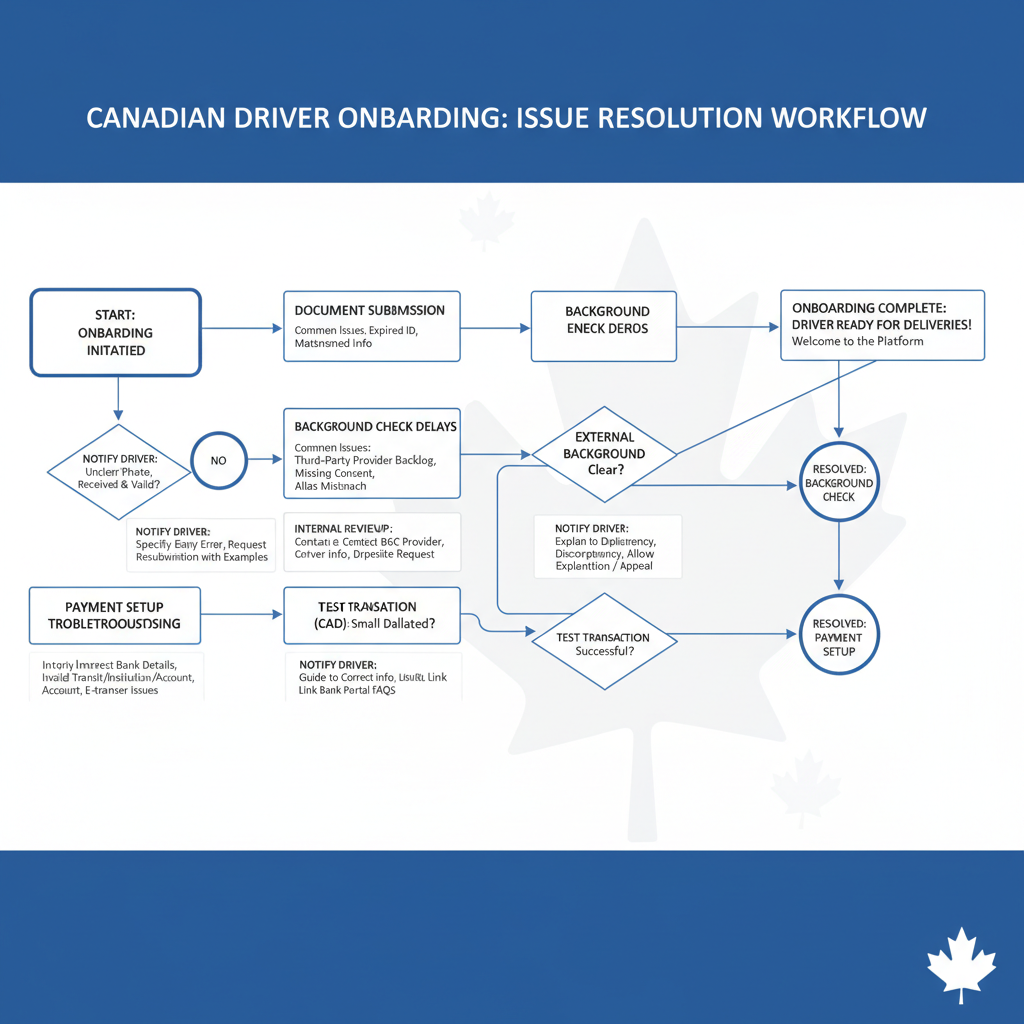
- Document Verification: While often a quick step when documents are correctly submitted, delays can occur if uploaded documents are blurry, expired, incomplete, or if the information on them does not perfectly match the personal details provided in the application. Ensuring clear, up-to-date, and accurate photos of all required documents is paramount to avoid these types of delays.
- Application Volume: During peak hiring periods, such as holidays or specific seasonal events, or in particularly popular markets with high turnover, the sheer volume of new applications can overwhelm processing teams, leading to backlogs and extended waiting times. Conversely, during slower periods, processing might be quicker.
- Local Support & Resources: The availability of dedicated local support staff, specialized driver hubs (like Uber’s Greenlight Hubs in larger cities), or regional processing centers can significantly impact how quickly issues are resolved, documents are reviewed, and questions are answered. Cities with more robust local infrastructure tend to have faster turnaround times.
- Mail Delivery: For DoorDash applicants, the necessity of waiting for the physical Dasher Kit (which includes the Red Card and thermal bag) to arrive by mail adds an inherent delay of a few business days to the total activation timeline. This step is dependent on postal service efficiency.
Major Metro Areas (e.g., Toronto, Vancouver, Montreal, Calgary):
- Generally Faster Processing: In major Canadian cities, the onboarding process tends to be quicker for several compelling reasons:
- High Demand: Both DoorDash and Uber Eats experience continuous, high demand for drivers in large urban centers to meet the substantial customer base and order volume. This high demand directly incentivizes the platforms to process applications as quickly as possible to get more drivers on the road.
- Established Infrastructure: These companies often have more robust local operational infrastructure in major cities. This can include larger, dedicated support teams, and in the case of Uber, sometimes physical “Greenlight Hubs” where drivers can get in-person assistance for document verification or troubleshooting, significantly expediting certain steps.
- Frequent Background Check Batching: Third-party background check providers typically process applications in batches. Given the higher volume of applicants from larger cities, these batches are more frequent, potentially reducing individual wait times for results.
- Efficient Local Mail Delivery: Mail services are generally more efficient and faster in dense urban areas, leading to quicker delivery of DoorDash Dasher Kits.
- Typical Timeline: For car drivers in major metros, once all documents are correctly submitted and no issues arise, full activation can often occur within 3-7 business days, provided background checks clear without complications. Bicycle drivers might experience even faster activation, sometimes within 2-5 business days, as the MVR check is omitted. However, if there are any discrepancies, incomplete documents, or unexpected flags in background checks, this timeline can easily extend to 1-2 weeks or even longer.
Smaller Towns & Rural Areas:
- Potentially Slower Processing: Onboarding in smaller towns or more remote Canadian regions can sometimes take considerably longer than in major cities:
- Lower Demand/Volume: With less urgent and consistent demand for new drivers, the platforms may process applications less frequently or with smaller, centralized teams, which can result in longer queues and slower turnaround times.
- Less Local Support: There are typically fewer, or no, dedicated local support resources in smaller towns. This means that all verification processes, issue resolution, and inquiries rely on centralized, often slower, online or phone-based processes.
- Background Check Variations: While the fundamental background check process is the same, the underlying provincial systems for criminal and driving records might operate at different speeds depending on the specific jurisdiction. Additionally, third-party providers might batch requests from smaller towns less frequently.
- Mail Delivery Delays: Mail service can sometimes be slower and less frequent to more remote addresses, potentially adding several extra days to the delivery of the DoorDash activation kit.
- Typical Timeline: Car drivers in smaller towns might anticipate an activation timeline of 1-3 weeks, potentially extending beyond that if there are complexities with background checks or document submission. Bicycle drivers will still likely be faster than car drivers but could still face delays compared to their metropolitan counterparts, perhaps ranging from 1 week or more for full activation.
- Market Availability Check: In some very small or remote Canadian towns, DoorDash or Uber Eats might not operate at all, or only offer very limited services with restricted hours. Prospective applicants should always confirm service availability in their specific geographic area before investing time in the registration process to avoid disappointment.
Tips for Speeding Up Onboarding:
- Prepare Documents in Advance: Before starting the application, gather and prepare clear, well-lit, and up-to-date photos of all required documents (driver’s license, vehicle registration, proof of insurance, government-issued ID, Social Insurance Number). Ensure no glare or shadows obscure information.
- Ensure Accurate Information: Double-check all personal and vehicle information entered into the application for absolute accuracy. Any discrepancies, even minor ones, between your application and your documents can trigger manual reviews and significant delays.
- Monitor Communication Channels: Regularly check your email (including your spam or junk folder) and the driver app for any updates, requests for additional information, or notifications from the platform. Prompt responses can prevent your application from stalling.
- Proactive Follow-up: If you experience significant or unexpected delays (e.g., no updates after a week), utilize the in-app support features or contact the platform’s support channels to inquire politely about your application status. Be patient but persistent.
- Discuss Insurance Early (for Car Drivers): If you plan to deliver by car, discuss the implications of commercial delivery work with your personal auto insurance provider as early as possible. Understanding your coverage, obtaining any necessary “rideshare” or “delivery” endorsements, and ensuring you are adequately protected from day one can prevent future policy issues.
Activation Bags and Payment Card Setup: Getting Ready for the Road
Once your application has been provisionally approved and the background checks are clearing, the final steps involve receiving your essential tools and setting up your payment methods. These elements are critical for handling orders efficiently, maintaining food quality, and ultimately, getting paid for your work. The approaches of DoorDash and Uber Eats vary significantly in this regard.

DoorDash: The Dasher Kit and Red Card
Every new DoorDash driver (referred to as a “Dasher”), whether they deliver by car, bicycle, or even on foot in select markets, receives a mandatory “Dasher Kit” as part of their activation. This kit is typically mailed directly to your registered address once your background checks are complete and your application receives preliminary approval.
- The Thermal Bag: The primary and most visible component of the Dasher Kit is a branded thermal delivery bag. This insulated bag is specifically designed to help maintain the optimal temperature of food during transit, keeping hot items warm and cold items chilled. This is crucial for ensuring that customers receive their orders in the best possible condition, directly impacting customer satisfaction and often influencing the ratings and tips a Dasher receives. While Dashers are welcome and often encouraged to purchase additional or higher-quality bags for increased capacity or better insulation, the DoorDash-provided bag is designed to be sufficient for starting out. Using an insulated bag is not just about professionalism; it’s a critical component for maintaining food safety and quality standards.
- The Red Card: This is arguably the most distinctive operational tool unique to DoorDash drivers. The Red Card is a prepaid debit card that is physically linked to your Dasher account. Its purpose is highly specific: for certain types of orders, particularly those from restaurants that do not have a direct, integrated payment system with DoorDash, or for purchases from convenience stores, grocery outlets, or other non-restaurant merchants, you will use this Red Card to pay for the items at the point of sale.
- How it works: When you accept an order that requires the Red Card, the DoorDash app will automatically load the estimated cost of the items onto your Red Card for that specific transaction. You then proceed to the merchant and use this card like any other debit card to complete the purchase. It is critically important to understand that the Red Card is strictly for DoorDash-approved purchases related to the specific order you are currently fulfilling; it is not a personal debit card and cannot be used for personal expenses, nor can personal funds be loaded onto it. Attempting to use it for unauthorized purchases can lead to account deactivation.
- Activation: Upon receiving your physical Red Card in the mail, you must activate it within the Dasher app. The app will provide clear prompts to guide you through this process, typically asking you to enter the card number and other identifying details to securely link it to your Dasher account. You cannot successfully complete Red Card orders until it has been properly activated within the app.
- Importance: Not every DoorDash order requires the Red Card (many restaurants are directly integrated and pre-paid). However, a significant portion of orders, especially from smaller establishments or convenience stores, do require it. Without an activated Red Card, you will be unable to accept and complete these specific orders, which could significantly limit your earning opportunities and flexibility on the platform. Keeping it secure, charged (as it’s linked to your app), and always having it with you during your shifts is essential for a seamless dashing experience.
Uber Eats: Thermal Bags and Payment Options
Uber Eats takes a somewhat different and generally more streamlined approach regarding activation kits and payment cards for purchases.
- Thermal Bags: Unlike DoorDash, Uber Eats typically does not send a mandatory, free thermal bag as an activation component. While they strongly recommend and encourage all drivers and couriers (whether by car or bicycle) to use insulated bags to maintain food quality and customer satisfaction, obtaining one is generally the driver’s responsibility. Drivers can purchase branded Uber Eats thermal bags directly from Uber, sometimes at a discount, or they can simply use their own generic but effective thermal bags. The emphasis here is on the function of keeping food at the correct temperature for the customer, rather than a specific branded item being a prerequisite for activation. Many drivers opt for high-quality third-party bags to better manage varying order sizes and temperatures.
- Payment Card (for Driver Purchases): For the vast majority of food delivery orders on the Uber Eats platform, drivers do not need a payment card to purchase items from restaurants. Orders are almost universally pre-paid by the customer directly to Uber Eats, and Uber Eats then remunerates the restaurant. Therefore, the driver’s role is solely pickup and delivery. There are very rare exceptions, sometimes for specific grocery or convenience store orders if Uber has particular programs in place in certain markets, but this is not a standard or frequent part of the food delivery process like DoorDash’s Red Card system.
- Earning Payouts & Uber Pro Card: Instead of providing a card for making purchases, Uber Eats focuses its card offerings on how drivers receive and manage their earnings. All earnings are primarily deposited directly into your linked bank account.
- Standard Payouts: Uber Eats typically processes payouts weekly via direct deposit to the bank account you’ve linked in the app. These usually arrive within a few business days of the weekly cutoff.
- Instant Pay: For drivers who prefer more immediate access to their earnings, Uber Eats offers an “Instant Pay” option. For a small transactional fee (e.g., $0.50), drivers can cash out their accumulated earnings to a linked debit card almost immediately, providing financial flexibility without waiting for the weekly cycle.
- Uber Pro Card: Uber has introduced the Uber Pro Card in some markets, which is a Mastercard Debit card and a linked mobile banking app (often powered by a banking partner). This card is designed specifically for Uber drivers and couriers to manage their earnings. Its key benefits often include instant payouts (frequently without a fee when paid to the Pro Card), cashback rewards on gas and other business-related purchases, and other banking features. It’s an optional financial product designed to enhance a driver’s earnings management, not a mandatory “activation kit” component for making purchases on behalf of customers. If available in your area, you would apply for it separately after becoming an activated driver, similar to opening a new bank account.
Key Differences in Activation Kits and Payment Cards:
- Mandatory Activation Kit: DoorDash provides a mandatory Dasher Kit with a branded thermal bag and the Red Card as part of the initial activation. Uber Eats does not provide a mandatory, free activation kit.
- Payment Card for Orders: DoorDash’s Red Card is a crucial tool for specific orders requiring driver payment at the merchant. Uber Eats drivers generally do not use a payment card for customer orders.
- Driver’s Responsibility for Thermal Bag: DoorDash provides a basic thermal bag to all new Dashers. Uber Eats drivers are responsible for acquiring their own insulated bags, though highly recommended for food quality.
- Earnings Management Tools: Both platforms offer direct deposit for earnings. However, Uber Eats provides additional options like Instant Pay and the Uber Pro Card for greater flexibility in accessing and managing earnings.
Navigating the Canadian Context: Additional Considerations
While the core registration and operational processes for DoorDash and Uber Eats share many similarities across Canada, prospective drivers must be keenly aware of provincial and local nuances that can significantly impact their legal obligations, insurance coverage, and financial responsibilities. Understanding these specific Canadian considerations is crucial for a compliant and successful delivery career.
- Insurance: This is arguably the most significant and complex provincial variation. Each Canadian province has its own distinct auto insurance regulations, often differing substantially in terms of coverage requirements, policy structures, and the classification of commercial driving. While DoorDash and Uber Eats generally provide some form of contingent commercial insurance (often liability coverage) that applies only while on an active delivery (i.e., from the moment you accept an order to the moment you drop it off), this coverage is almost always secondary to your personal auto insurance. This means your personal policy is typically expected to cover the primary risk.
Drivers in provinces with highly regulated insurance markets, such as Ontario, Alberta, Quebec, and British Columbia, must diligently inquire with their personal auto insurance providers about “rideshare” or “delivery” endorsements. These endorsements explicitly amend your personal policy to cover commercial activities, albeit often with an additional premium. Failure to disclose your delivery activities to your personal insurer could lead to severe consequences: in the event of an accident, your personal insurer could deny your claim, cancel your policy, void it retroactively (as if it never existed), or even blackball you from future coverage. Some provinces have made progress in creating specific insurance products tailored for gig workers, while others are still catching up or have more limited options. It’s the driver’s paramount responsibility to ensure they have adequate, compliant primary insurance. The Insurance Bureau of Canada (IBC) provides valuable information on ride-sharing and delivery insurance. - Taxation: As independent contractors, DoorDash and Uber Eats drivers are unequivocally responsible for managing their own income tax, Goods and Services Tax/Harmonized Sales Tax (GST/HST), and other business-related taxes. Both platforms provide annual tax summaries (equivalent to a T4A or 1099 form in the US), but the onus is on the driver to understand and fulfill their obligations. This includes tracking all income and eligible business expenses (such as mileage, fuel, vehicle maintenance, vehicle depreciation, smartphone plans, insulated bags, and even a portion of home office expenses if applicable). A crucial consideration is GST/HST: if your gross revenue from your delivery activities exceeds $30,000 annually, you are legally required to register for a GST/HST number with the Canada Revenue Agency (CRA) and begin collecting and remitting GST/HST on your services. Even if you are below this threshold, you may choose to register voluntarily to claim input tax credits. For detailed guidance on tax matters for gig workers, exploring resources like our Step-by-Step Schedule C Walkthrough for Uber & Lyft Drivers can be highly beneficial. Consulting with a qualified tax professional or accountant is highly recommended to ensure compliance and maximize deductible expenses. This framework is consistent across Canada but requires diligent record-keeping and proactive financial management from the driver.
- Local Bylaws: While the core operations are governed by provincial and federal laws, some municipalities may have specific bylaws that affect delivery drivers, particularly bicycle couriers. Examples could include specific helmet laws (beyond provincial mandates), regulations concerning electric bicycles (e-bikes) on certain pathways, or parking restrictions in commercial zones for vehicles engaged in delivery. While less common to cause significant registration hurdles, it’s always prudent to be aware of any specific local rules that might apply to your operations within your chosen city or town, especially if you plan to operate in highly congested areas or utilize specific types of equipment.
- Social Insurance Number (SIN) Requirement: As previously mentioned, the Social Insurance Number (SIN) is a mandatory requirement for both platforms. This is a critical piece of personal identification used by the Canadian government for tax reporting and benefit purposes. Providing your SIN ensures that your earnings are properly reported to the Canada Revenue Agency (CRA), a standard procedure for any individual earning income as an independent contractor in Canada.
- Background Check Providers: While the scope of the background checks remains consistent (criminal for all, and MVR for car drivers), the specific third-party companies conducting these checks (e.g., Checkr, SterlingBackcheck) might vary slightly by region or province. However, this variation typically has no direct impact on the driver, as the platforms manage the engagement with these providers. The key is that the checks are thorough and comprehensive across the board.
Conclusion: Making an Informed Choice
The journey to becoming a delivery driver for DoorDash or Uber Eats in Canada shares many fundamental similarities, particularly concerning basic eligibility criteria such as age, legal right to work, smartphone access, and the critical requirement of a clean criminal record. However, as this side-by-side walkthrough highlights, distinct differences emerge, especially when comparing car versus bicycle delivery and the specific tools and support mechanisms provided by each platform.
For aspiring car drivers, the process is notably more intricate, demanding meticulous attention to valid driver’s licenses, up-to-date vehicle registration, and, most importantly, appropriate and transparent insurance coverage that explicitly accounts for commercial delivery activities. The motor vehicle record (MVR) check stands as a significant gatekeeper in this process, ensuring drivers have a responsible history behind the wheel. In contrast, for bicycle drivers, the registration pathway is considerably streamlined, focusing primarily on identity verification and criminal background checks, thereby elegantly bypassing the complex vehicle-specific requirements.
Onboarding timelines are influenced by geography, with major metropolitan areas typically offering faster processing due to higher demand and more robust operational infrastructure. Conversely, smaller towns or more rural regions may experience slightly longer waiting periods. Regardless of location, the most effective strategy to minimize delays is ensuring all submitted documents are accurate, clear, and complete from the outset.
Finally, the activation kits and payment card setup present perhaps the clearest operational distinction between the two platforms. DoorDash provides a mandatory Dasher Kit, which includes a branded thermal bag and the crucial Red Card, essential for specific merchant purchases. Uber Eats, while strongly recommending the use of thermal bags for food quality, does not provide one as part of activation, leaving drivers responsible for acquisition. For payments, Uber Eats primarily relies on direct deposit for earnings, offering flexible payout options like Instant Pay and the Uber Pro Card for driver convenience, rather than a card for merchant transactions.
By understanding these nuanced requirements, operational differences, and the crucial Canadian-specific considerations (especially regarding insurance and taxation), prospective DoorDash and Uber Eats drivers can approach the registration process with confidence. Making an informed decision, tailored to your preferred mode of transport, personal financial management preferences, and specific provincial obligations, will enable you to navigate the onboarding journey efficiently and embark on a successful and compliant delivery career.

Leave a Reply